Tutorial · Skylos 5.5.0 or later · about 15 minutes
Tutorial: from setup to a checked pull request
You run two commands. Your coding agent runs everything else itself. This page follows one real session on a small shop repository: Claude Code describes the code, makes a change, gets blocked and fixes it. Every screenshot and output comes from that session.
| You run | What you get |
|---|---|
skylos setup | Once per repository: Claude Code and Codex learn the Skylos steps, the PR check is written, the code is mapped |
skylos open | Every day: one page with the diagram of your code, what changed in plain English and what it affects, and every check run |
Step 1 of 10
Install Skylos where your tests run
Install Skylos into the environment your project's tests run in, so skylos done can run them.
source .venv/bin/activate      # the environment your tests run in
pip install -U skylos
which skylos                   # should be .venv/bin/skylos
If which -a skylos lists another skylos first, such as an old Homebrew install, your coding agent may start that one. skylos setup warns you when this happens.
Step 2 of 10
Set up the repository once
skylos setupSkylos is set up in shop
✓ Coding agents CLAUDE.md, AGENTS.md: Skylos steps added
✓ Claude Code .mcp.json: Skylos tools connected (Claude Code asks you to approve them once)
✓ Codex Skylos tools connected (in your Codex settings)
✓ PR check .github/workflows/skylos.yml: scans changed lines and runs your tests on every pull request
✓ Code map 22 functions and classes in 12 files, 6 areas; 0 described in plain English
Next
skylos open the map of your code, what changed and every check, in one page
Commit CLAUDE.md, .github/workflows/skylos.yml, .mcp.json, .skylos/graph/.gitignore, AGENTS.md so your team and CI get them.
For plain-English descriptions, ask your coding agent: "describe the code with Skylos".| Line | What it did |
|---|---|
| Coding agents | Added a short Skylos block to CLAUDE.md and AGENTS.md: look up code before changing it, run skylos done when finished, explain the change for reviewers, describe new code. The rest of each file is left alone. |
| Claude Code | Added the Skylos tools to .mcp.json. Claude Code asks you to approve them once. |
| Codex | Ran codex mcp add skylos. |
| PR check | Wrote the GitHub Actions workflow. Other CIs get the block to add. |
| Code map | Built .skylos/graph/. |
Commit the files it lists. Running it again only changes what is missing or out of date.
Step 3 of 10
Let your agent describe the code
Ask your coding agent:
Describe the code with Skylos.
The agent asks Skylos which functions and classes have no description, writes one sentence for each and saves them. In this session Claude Code described all 22 in five turns on its existing subscription; Skylos never saw a key. Commit .skylos/graph/notes.json so your team sees the same descriptions.
Step 4 of 10
Open the page
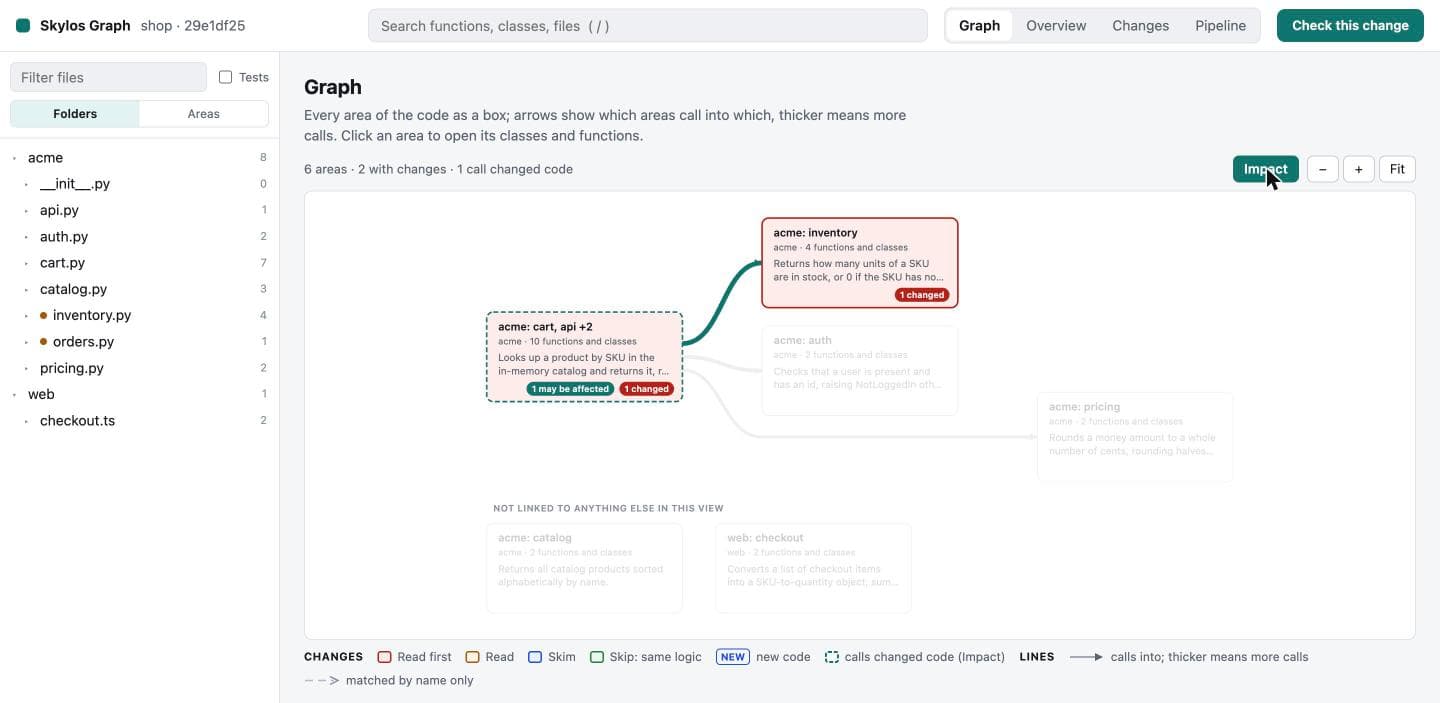
skylos openIt compares your branch with the branch pull requests merge into and opens one page on your computer. Graph shows every area of the code as a box, named after the files it covers; arrows show which areas call into which.
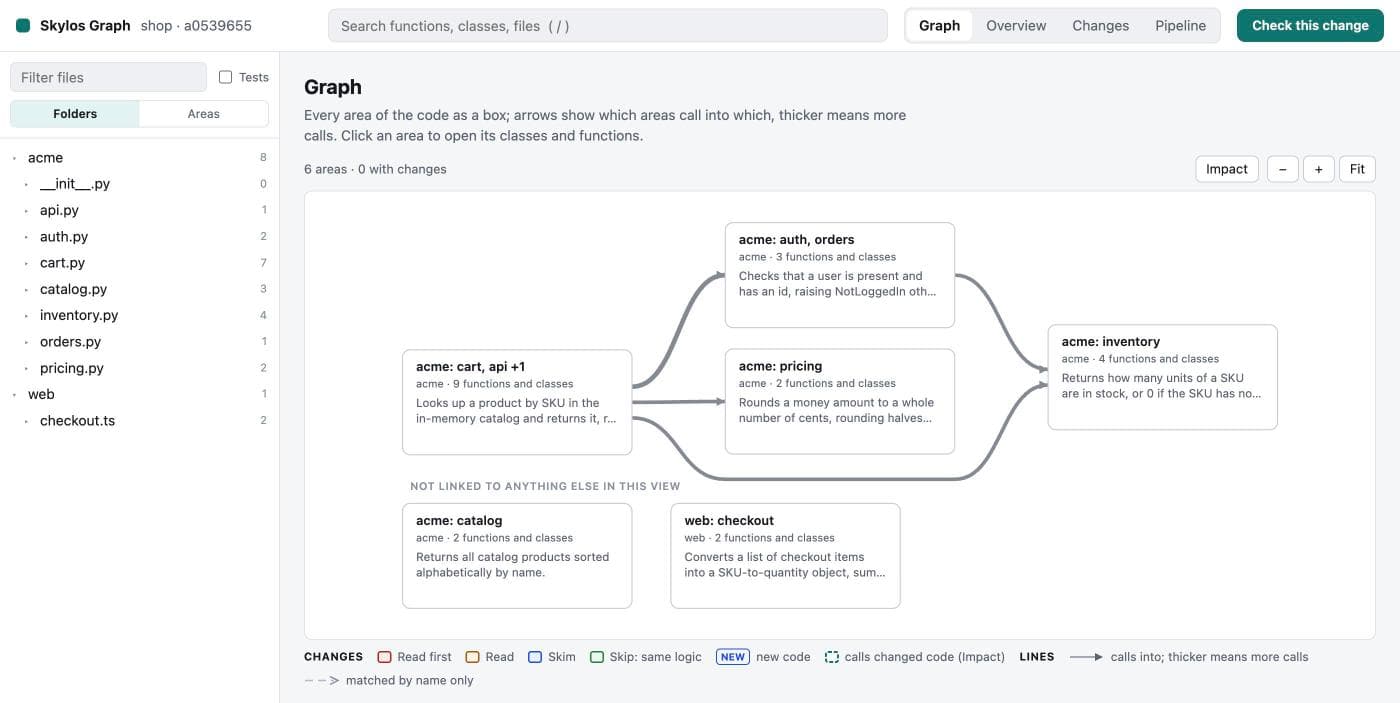
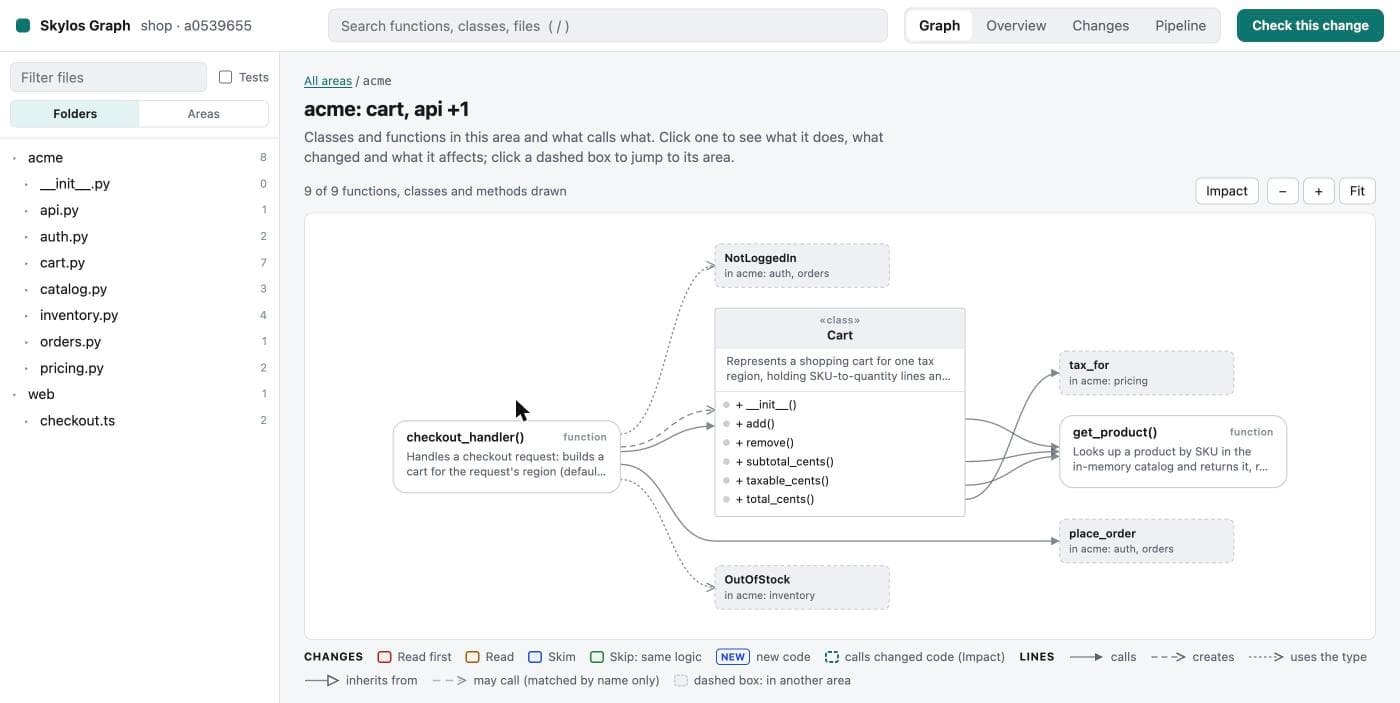
Click an area to see its classes and functions, drawn like a UML diagram: classes list their methods, and dashed boxes are code in other areas.
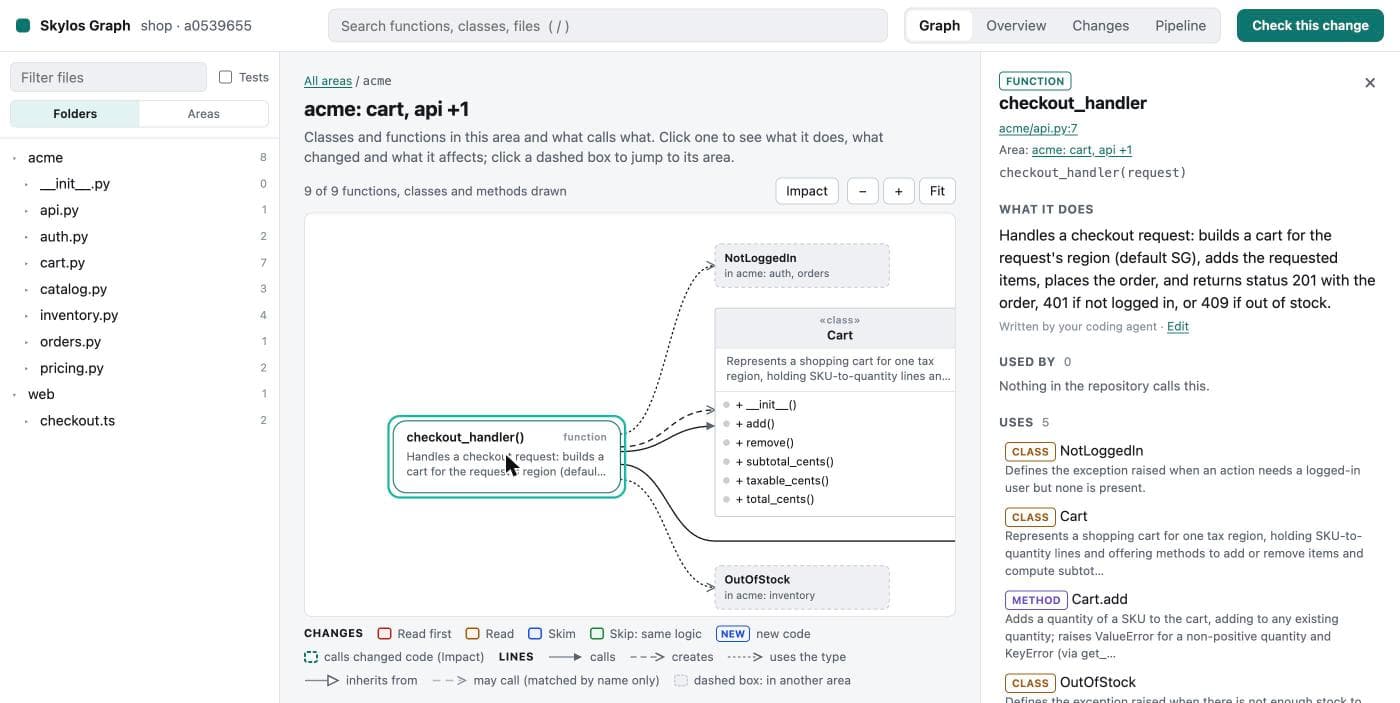
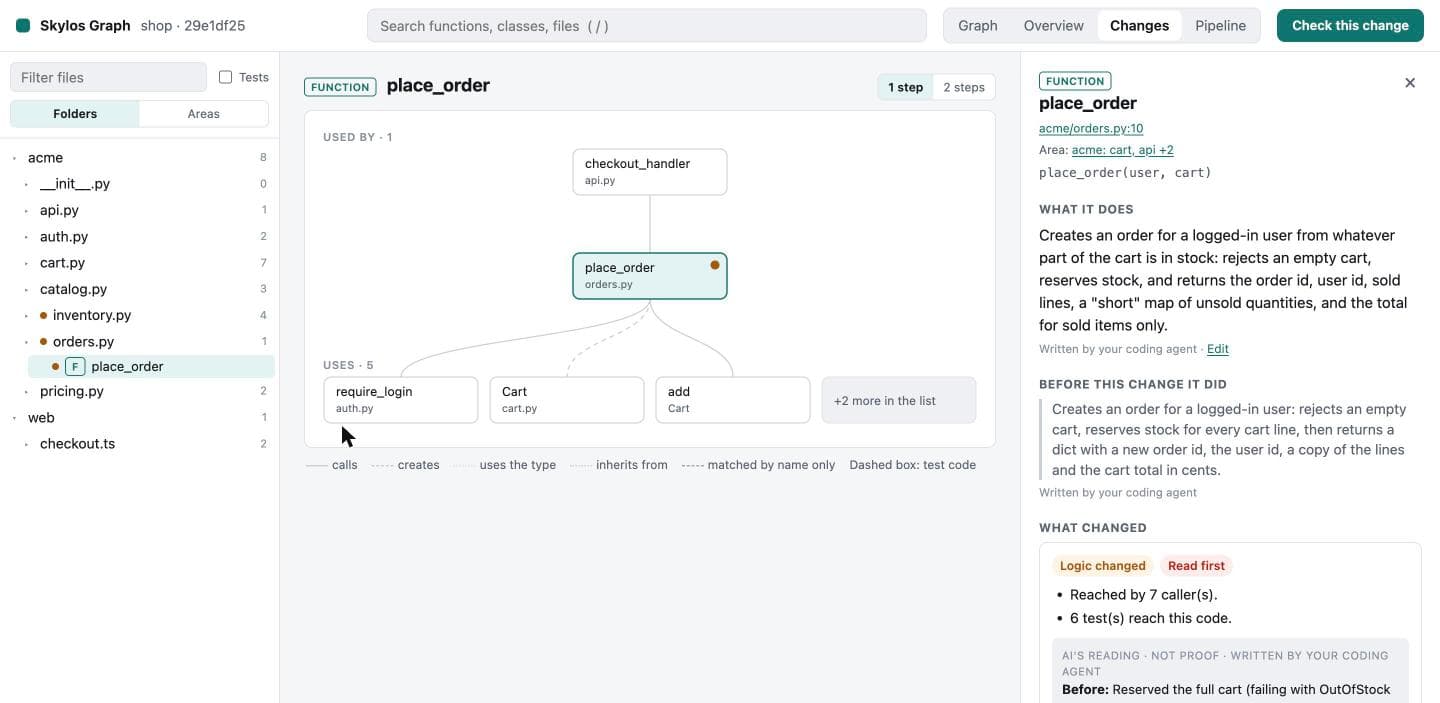
Click any box for its card: what it does, what calls it, what it uses and the tests that reach it.
Step 5 of 10
Ask your agent for a change
Customers say checkout fails when one item in the cart is short on stock. Change it so checkout still goes through and sells what we have in stock.
Because of the block skylos setup added, the agent:
- Looked up the files and functions it was about to change.
- Changed
reserveandplace_orderand updated the tests. - Ran
skylos done --base origin/mainand fixed what it reported. - Saved a reviewer explanation for each changed function: before, after, whether every input still gives the same result, why, and how it reaches each caller.
- Updated the descriptions of the code it changed.
It also flagged a decision for a person: the API now returns 201 for a partly filled order, and the checkout page does not yet tell the customer which items were not sold.
Step 6 of 10
Review the change
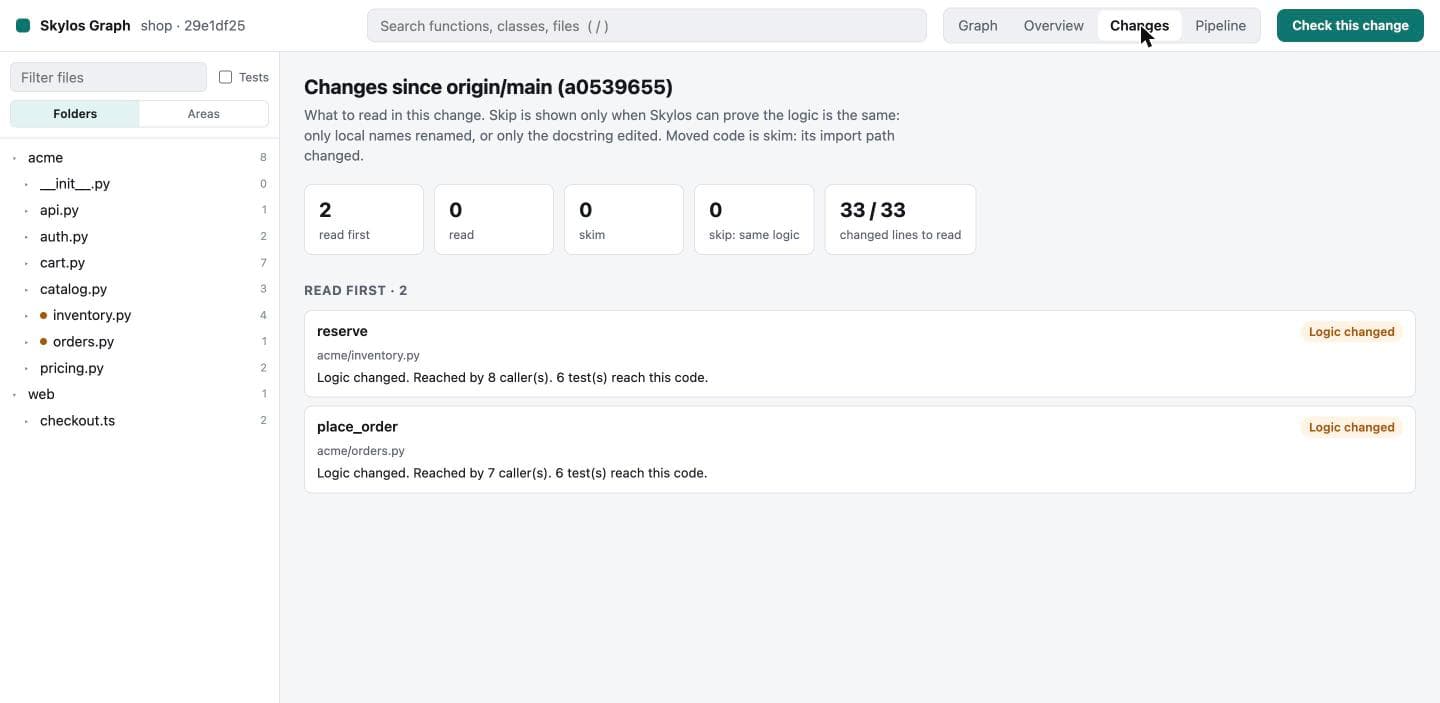
Changes lists what to read, in order.
| Group | Meaning |
|---|---|
| Read first | Logic changed in code other code depends on, or a risky change such as a removed check |
| Read | Logic changed |
| Skim | Moved code, or code whose methods changed |
| Skip: same logic | Skylos proved the logic is the same: only local names renamed, or only the docstring changed |
On the Graph tab, Impact keeps the changed code and everything that calls it bright, up to three calls away.
Open a changed function: what it does now, what it did before the change, what changed, and what it affects.
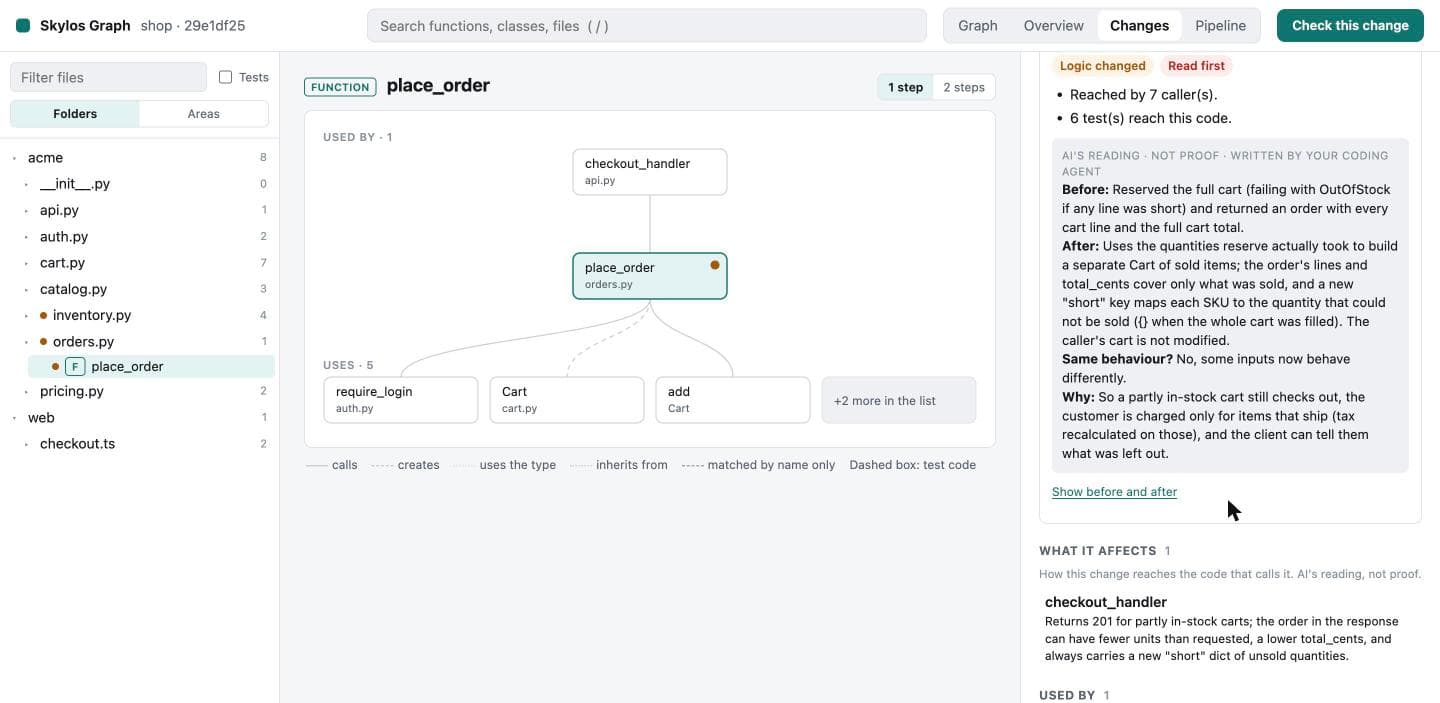
| On the card | Who writes it |
|---|---|
| Logic changed or same logic (proven), Read first / Read / Skim / Skip | Skylos, from the code |
| Callers, tests that reach the code, facts such as “Stopped rejecting: raise OutOfStock()” | Skylos, from the code |
| What it does, Before this change it did | Your coding agent, or your own model key |
| Before / After / Same behaviour? / Why, What it affects | Your coding agent, marked “AI's reading, not proof” |
Step 7 of 10
The Pipeline: every check, run by run
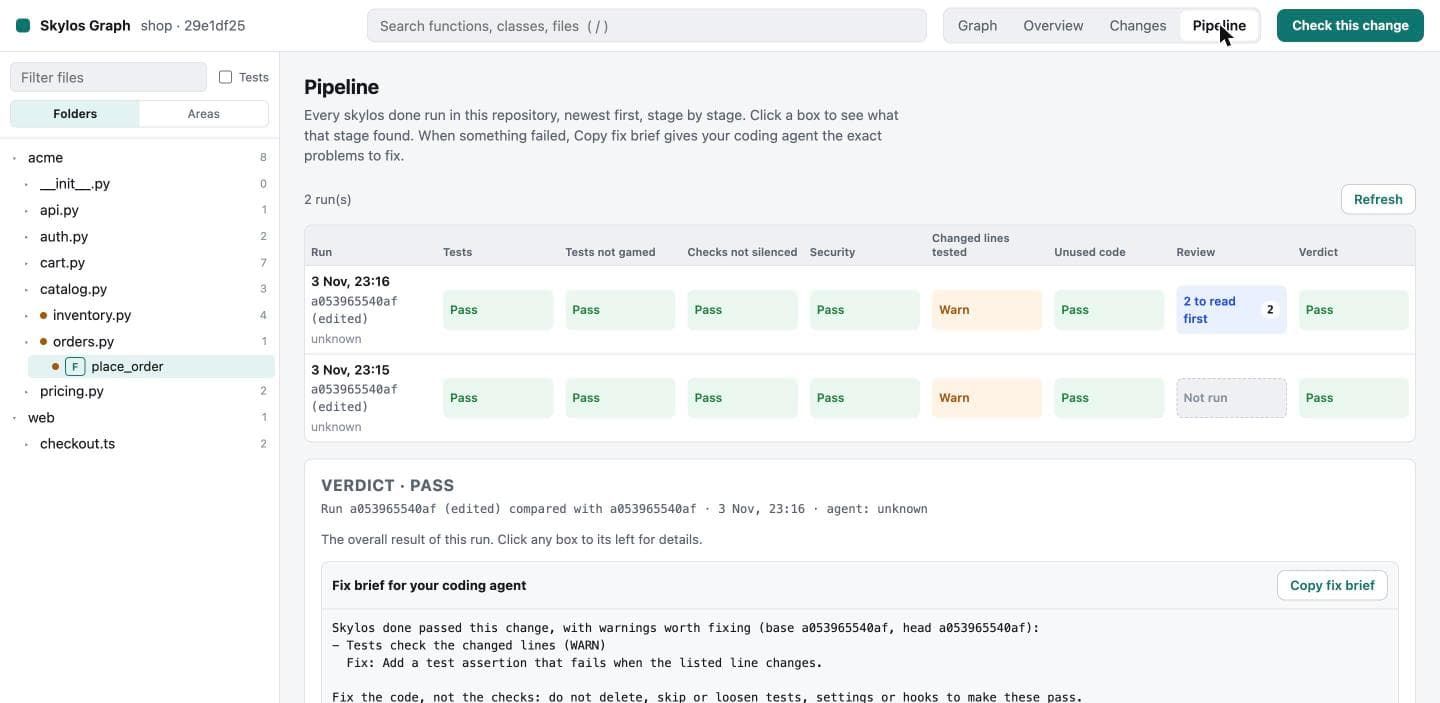
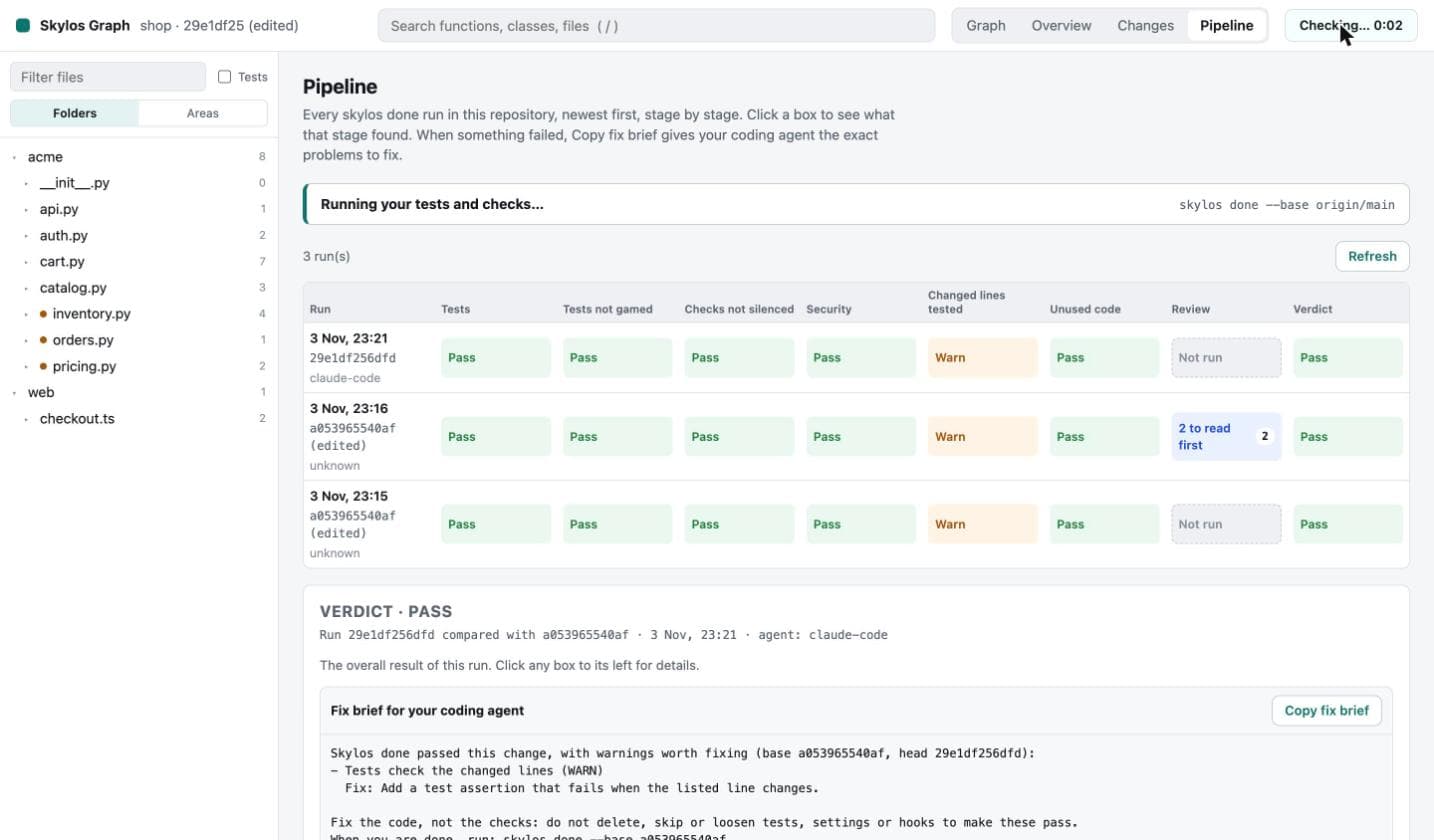
Pipeline has one row for every skylos done run, newest first, whether your agent ran it, you ran it or you pressed the button. Each box is one stage; click it to see what that stage found.
| Stage | What it checks |
|---|---|
| Tests | Skylos runs your tests itself |
| Tests not gamed | No tests deleted, skipped or loosened, and no code that special-cases the tests |
| Checks not silenced | No linter, type checker, scanner, CI or Skylos settings weakened |
| Security | No secrets added, no security controls removed, every new import and package is real |
| Changed lines tested | Tests fail when the changed lines change |
| Unused code | No code left without callers |
| Review | How much there is to read, from the change map |
| Verdict | Pass, or what blocks the change |
Step 8 of 10
When something breaks
To show a failure we broke something on purpose: a quick edit made round_cents cut off fractions instead of rounding them. Then we pressed Check this change, which runs skylos done and shows its output as it goes.
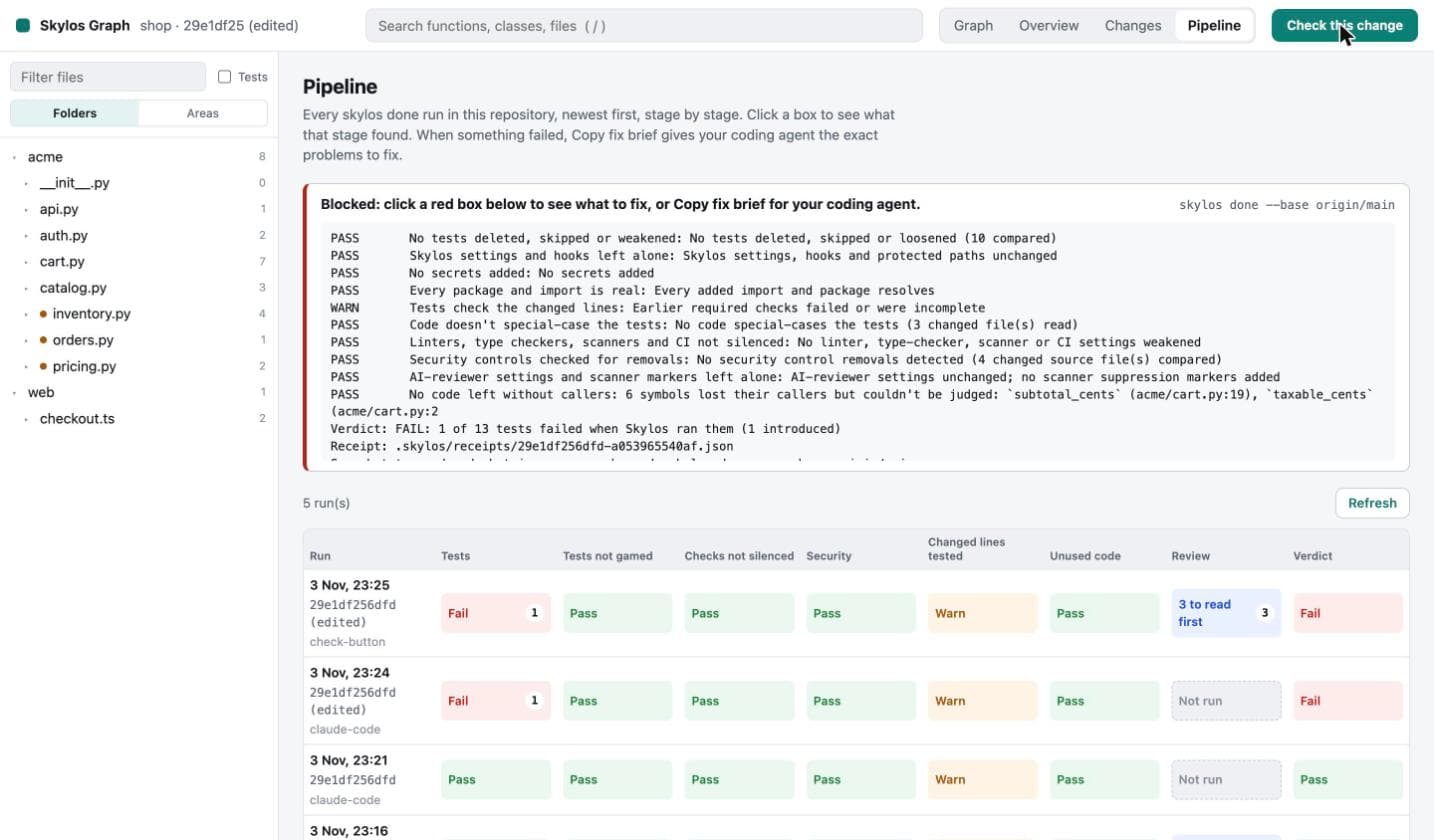
The red Tests box names the failing test and shows it passes on origin/main, so this change introduced it. The fix brief below it is written for your agent.
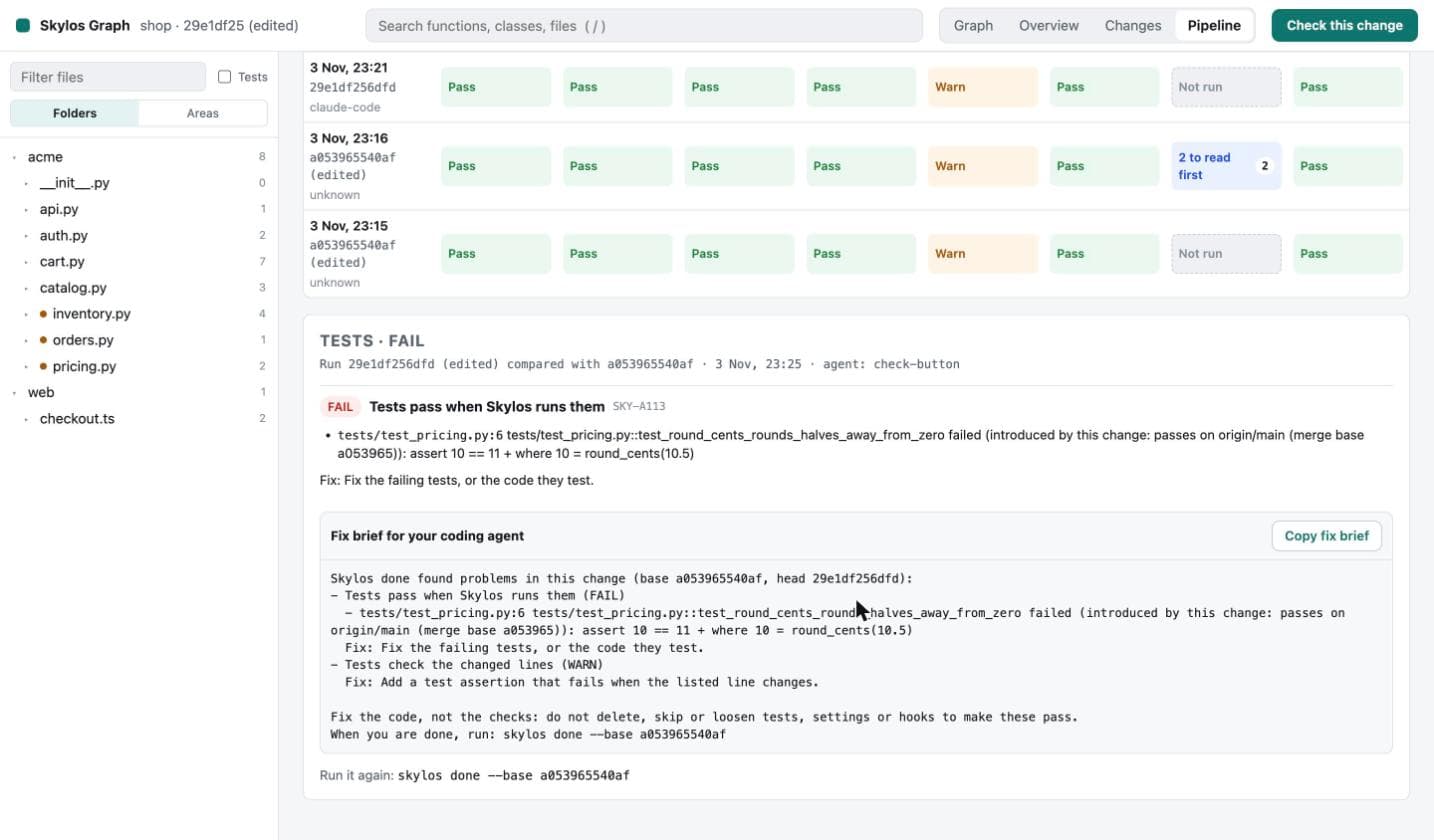
Skylos done found problems in this change (base a053965540af, head 29e1df256dfd):
- Tests pass when Skylos runs them (FAIL)
  - tests/test_pricing.py:6 tests/test_pricing.py::test_round_cents_rounds_halves_away_from_zero failed (introduced by this change: passes on origin/main (merge base a053965)): assert 10 == 11 + where 10 = round_cents(10.5)
  Fix: Fix the failing tests, or the code they test.
- Tests check the changed lines (WARN)
  Fix: Add a test assertion that fails when the listed line changes.

Fix the code, not the checks: do not delete, skip or loosen tests, settings or hooks to make these pass.
When you are done, run: skylos done --base a053965540af
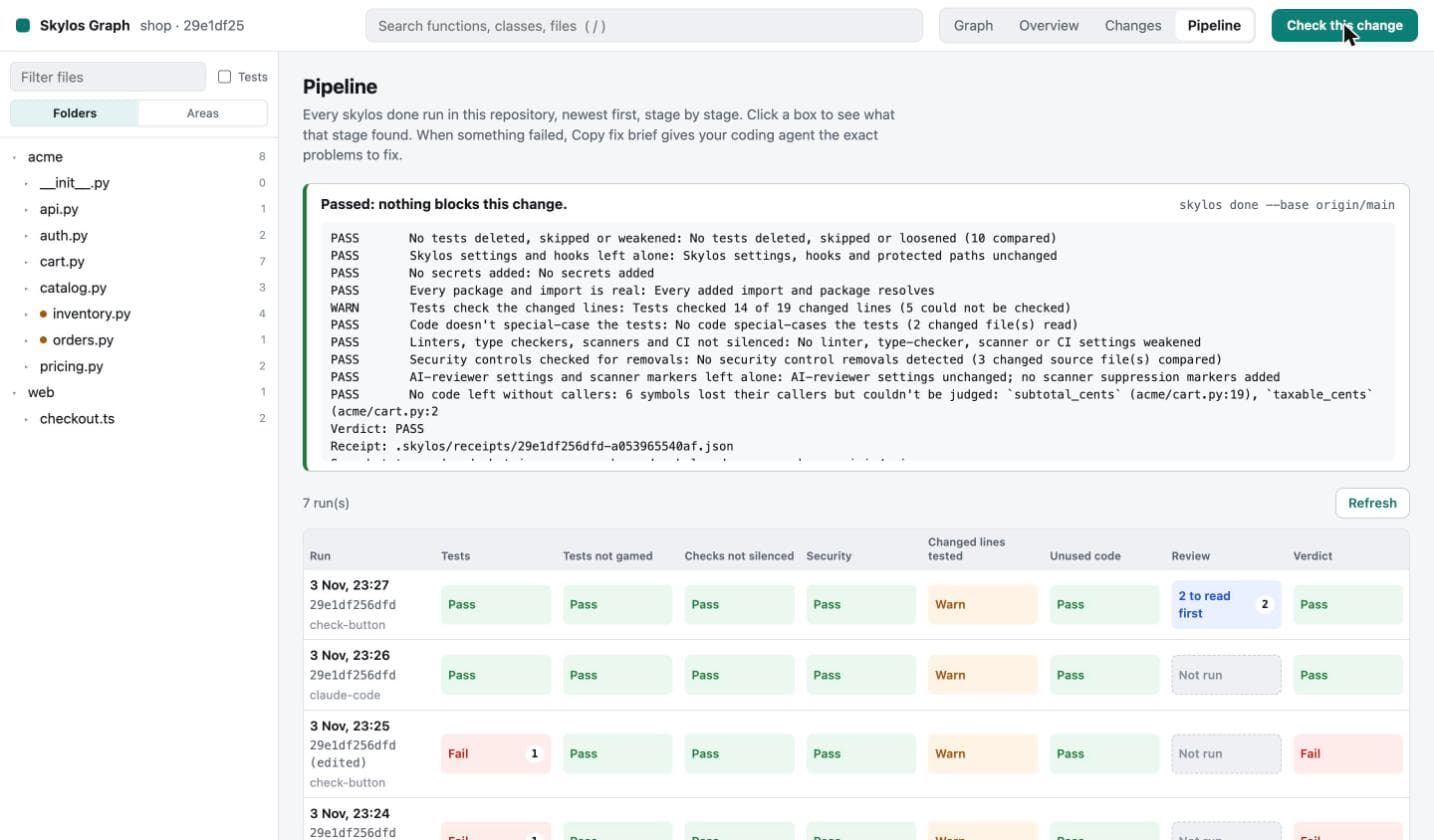
Pasted into Claude Code, it restored the rounding, left the tests alone, ran skylos done again, and asked whether the edit had been made on purpose. Pressing Check this change again shows the run passing.
Step 9 of 10
Open the pull request
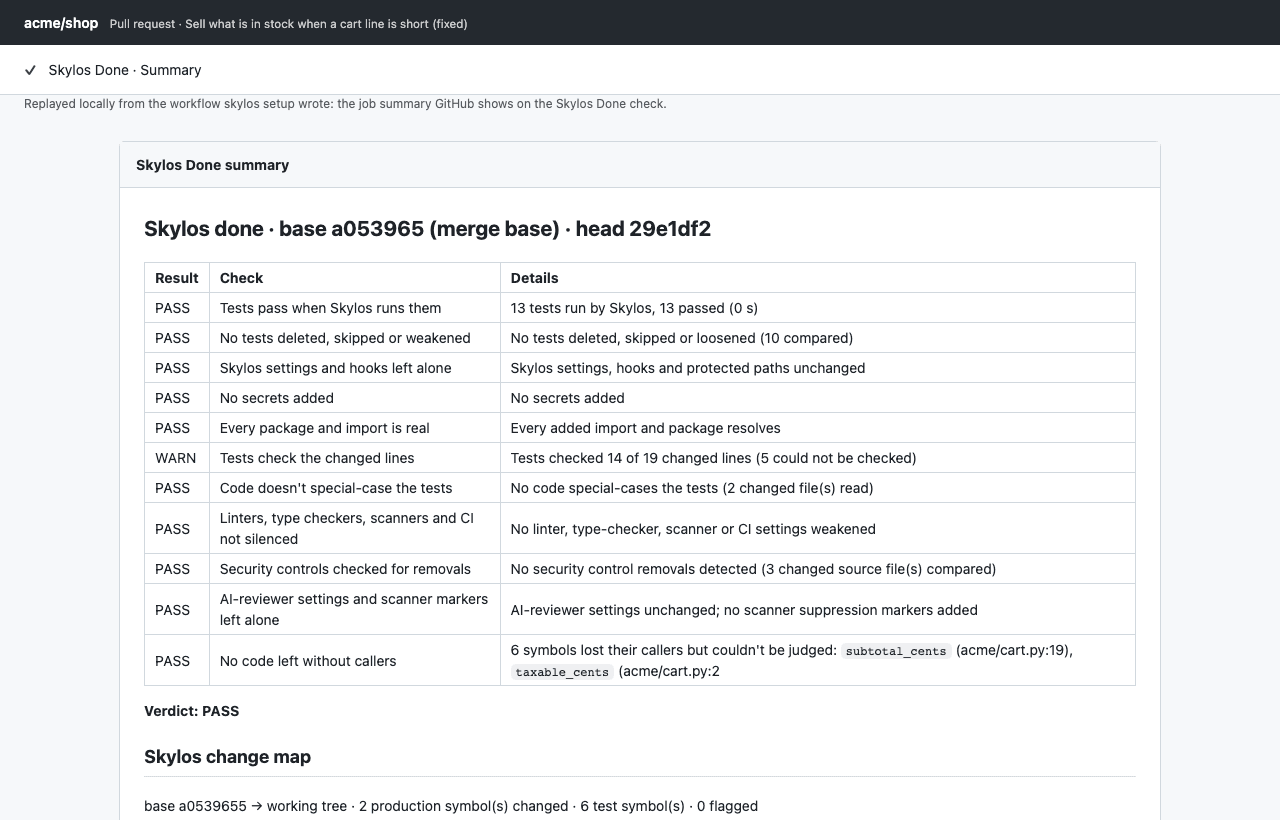
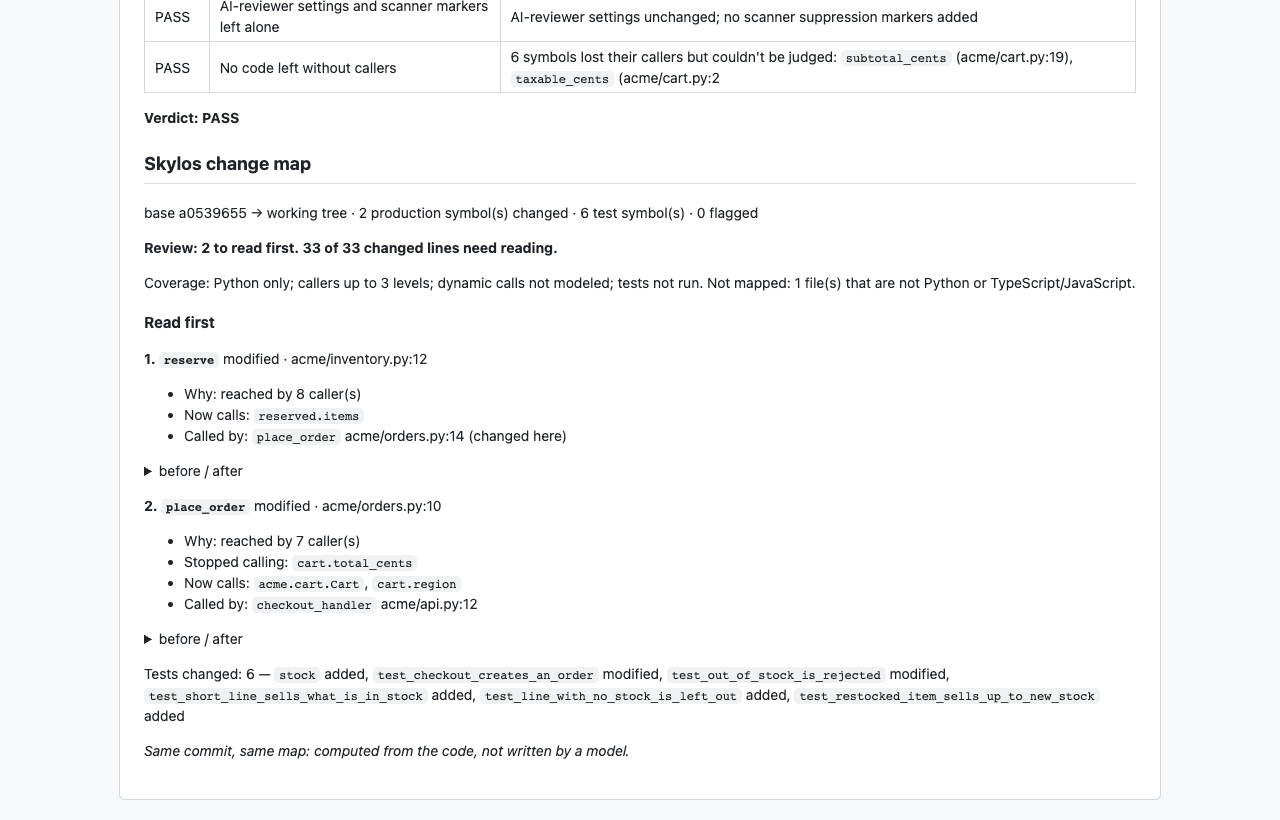
The PR check skylos setup wrote runs the same checks on GitHub and writes the result and the change map to the job summary. To block merging until it passes, make Skylos Done a required check on your default branch.
Step 10 of 10
Skylos Cloud, for teams
skylos cloud uploads findings, not your code. Skylos Cloud keeps each branch's gate, its history and one policy for your team.
What it costs
- Everything on your computer is free, with no account: setup, the page, the checks and the PR check.
- A team pays for the shared Cloud workspace, at a flat price per year. See pricing.
- Credits pay only for AI work Skylos does on its servers, such as AI fix PRs. The cost is shown before anything is charged.
More: 8 checks we didn't find in other tools, the benchmark and the same tutorial in the docs.