Static checks
File content is analyzed by the local Skylos CLI. This path does not send source code to Skylos Cloud or an AI provider.
Skylos adds Python static analysis and security checks in VS Code for teams that already use Ruff, Pylint, or Mypy. Catch dead code, secrets, risky patterns, and AI-generated mistakes without relying on the old `python.linting.*` settings.
Free & open source · Works with Python · AI Assist is off by default · Cloud providers require your API key
VS Code now pushes Python teams toward dedicated tool extensions instead of the old `python.linting.*` settings. Skylos fits that newer workflow as a Python static-analysis and security layer that complements Ruff, Pylint, and Mypy rather than replacing them.
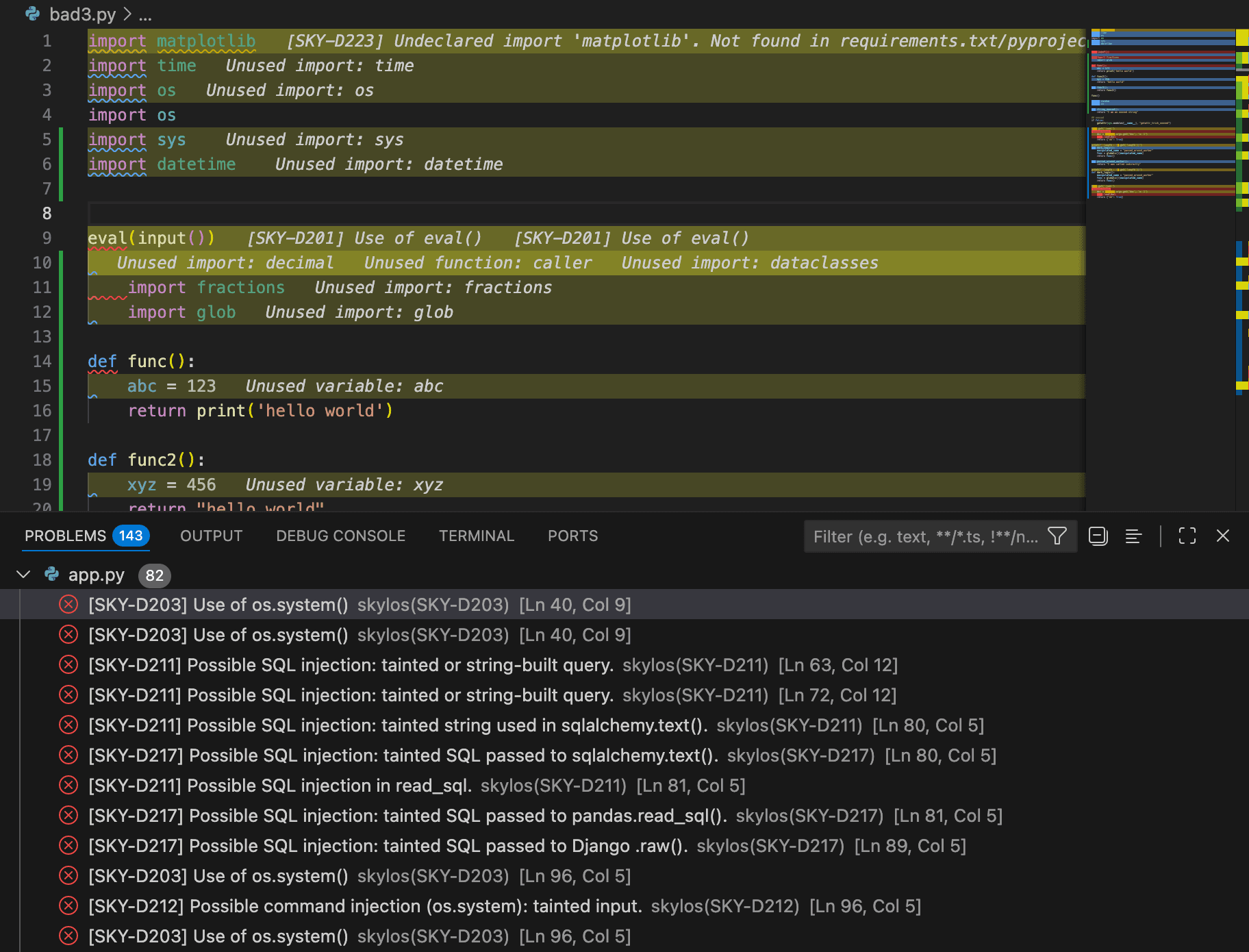
Local static checks on save, with a separate optional AI pass after you pause editing.
Save to run deterministic local checks. If you enable AI Assist, editing starts a separate idle timer and only the changed function is sent to your configured provider.
File content is analyzed by the local Skylos CLI. This path does not send source code to Skylos Cloud or an AI provider.
When AI Assist is enabled, changed function code and the analysis prompt go directly from the extension to the provider you selected. That provider's terms and retention policy apply.
Choose the local provider mode to send the same AI request to an OpenAI-compatible endpoint you control. Skylos Cloud is not in either AI request path.
pip install skylosskylos.aiProvider"openai" | "anthropic" | "local"skylos.openaiApiKeystringskylos.anthropicApiKeystringskylos.localBaseUrlURLskylos.enableRealtimeAIfalseskylos.idleMs1000skylos.enableSecretstrueskylos.enableDangertrueUse the local scanner on save, then opt in to a cloud or local AI provider only if you want the additional AI Assist pass.